Patient learning for kids who need a little more support

Learn at Your Own Pace.

Confidence first. A path made for your child. A clear view for you.

Built for grades 1–12. We add courses class by class, starting with high school.

Different paths. Same destination.

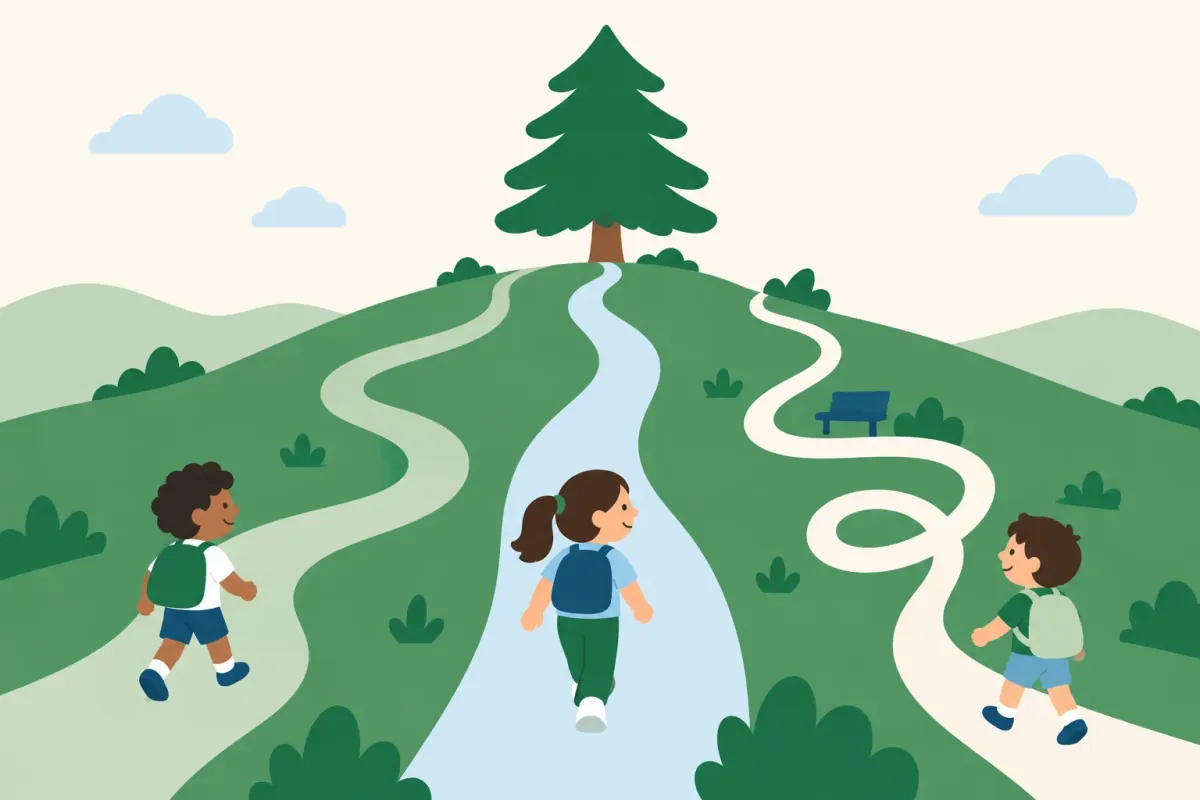
Different paths, same destination. A calm mountain with a large green cedar tree at the summit. The cedar is the destination: the class curriculum. Three learners start at the same place, the trailhead at the foot of the mountain. Each climbs in its own lane, and every trail crosses the same class goals, shown as soft lines across the mountain. A solid green trail skips ahead past what they already know and goes straight up the middle. A blue trail on the left makes one small loop for a new explanation, then carries on. A dashed navy trail on the right climbs wide, gentle zigzags in short rounds with breaks at two rest stops. All three reach the same destination, side by side under the cedar. Start Destination Class goals
  • Skips what they know
  • Short rounds with breaks
  • Another explanation
Every child reaches the same destination at their own pace.

So simple, it just makes sense.

Children start with one tap. Parents get the picture in 30 seconds.
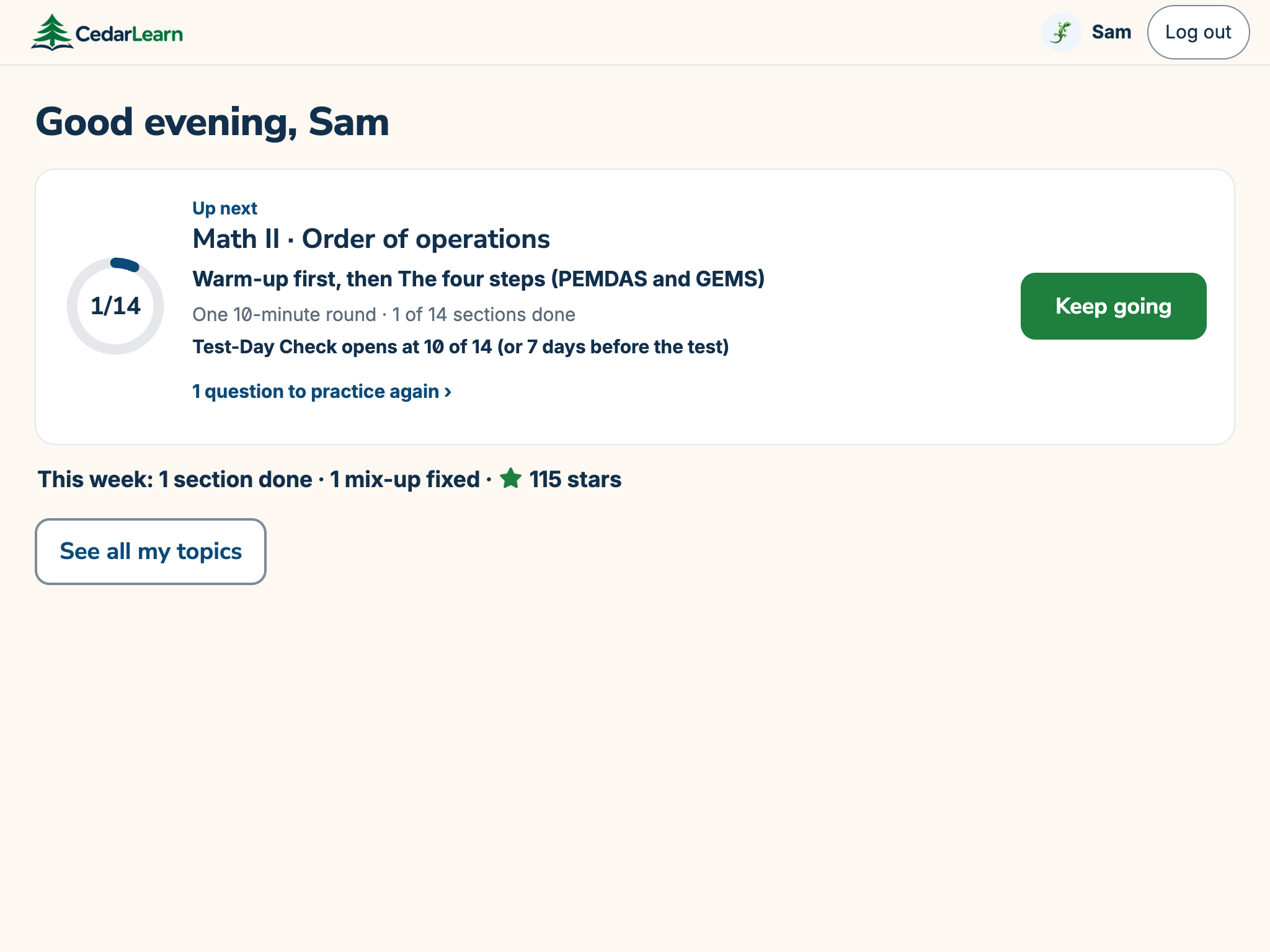
Step 1: Open. Sam's Home screen on a tablet shows the Up next card for Order of operations, with its Keep going button, and this week's wins.
Step 2: One tap. Sam's Home screen on a tablet shows the Up next card for Order of operations, with its Keep going button, and this week's wins.
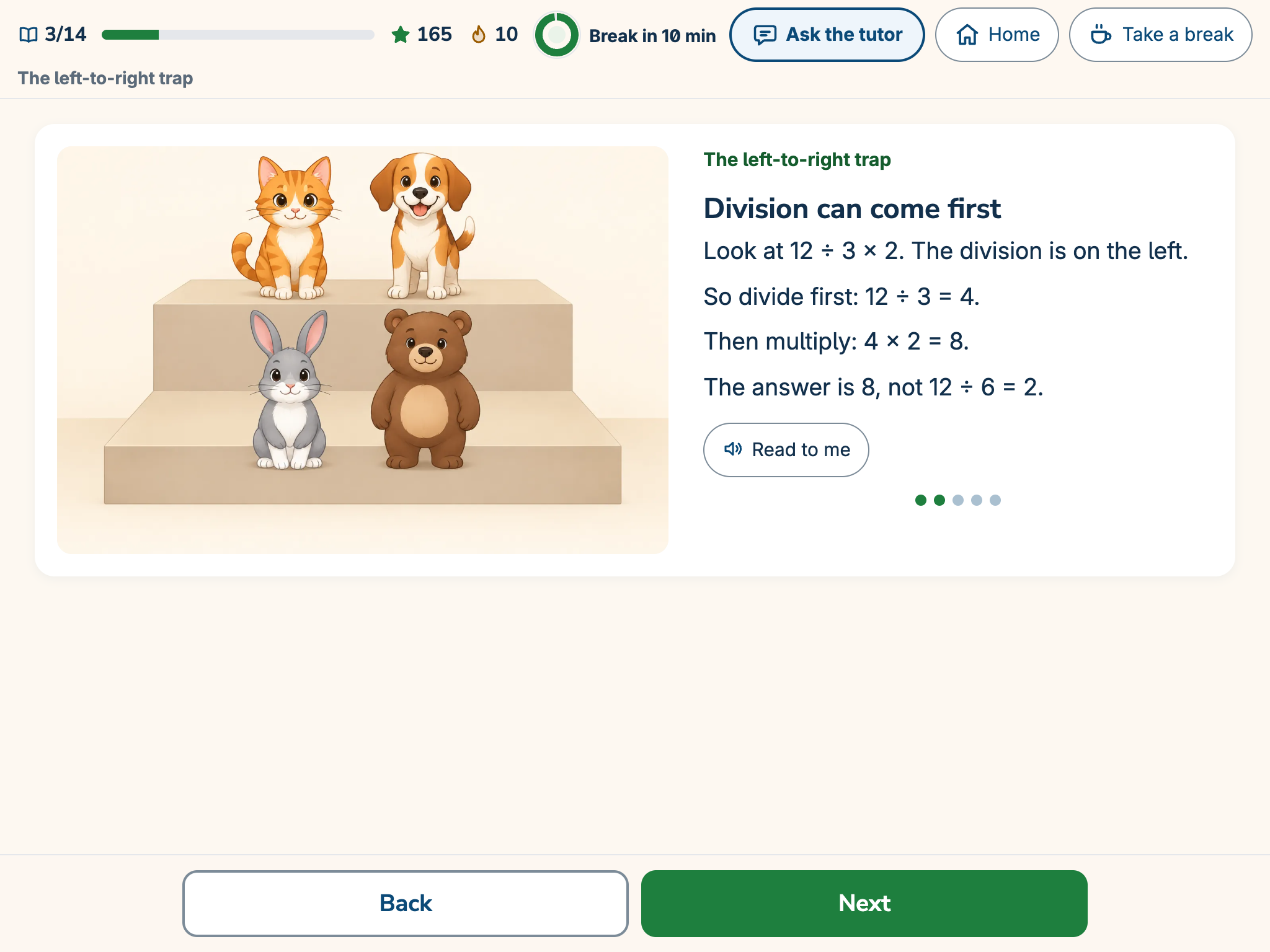
Step 3: Learn. The first explanation on a tablet: a lesson card called “Division can come first” that works through 12 ÷ 3 × 2.
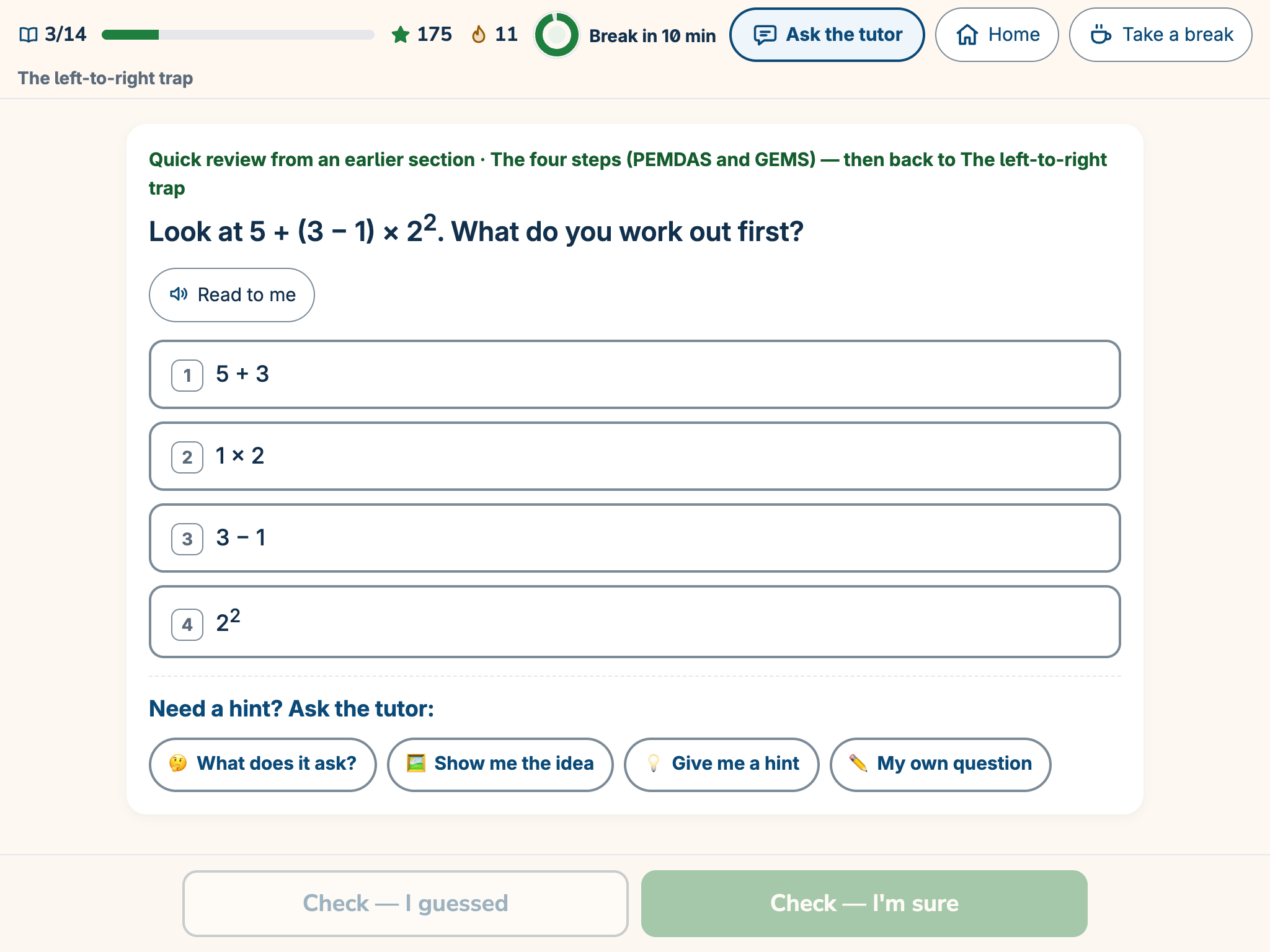
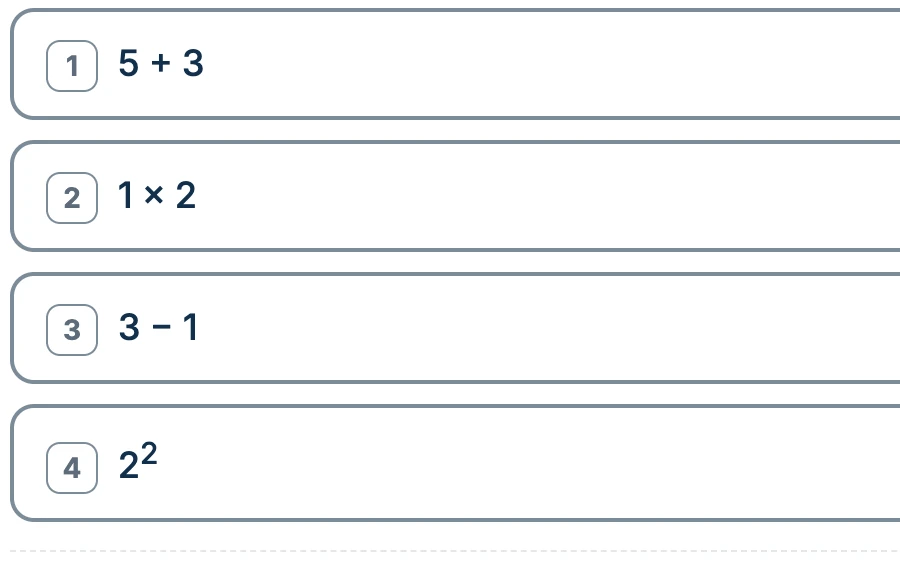
Step 4: Answer. A question on a tablet: “Look at 5 + (3 − 1) × 2 squared. What do you work out first?” with four answer choices.
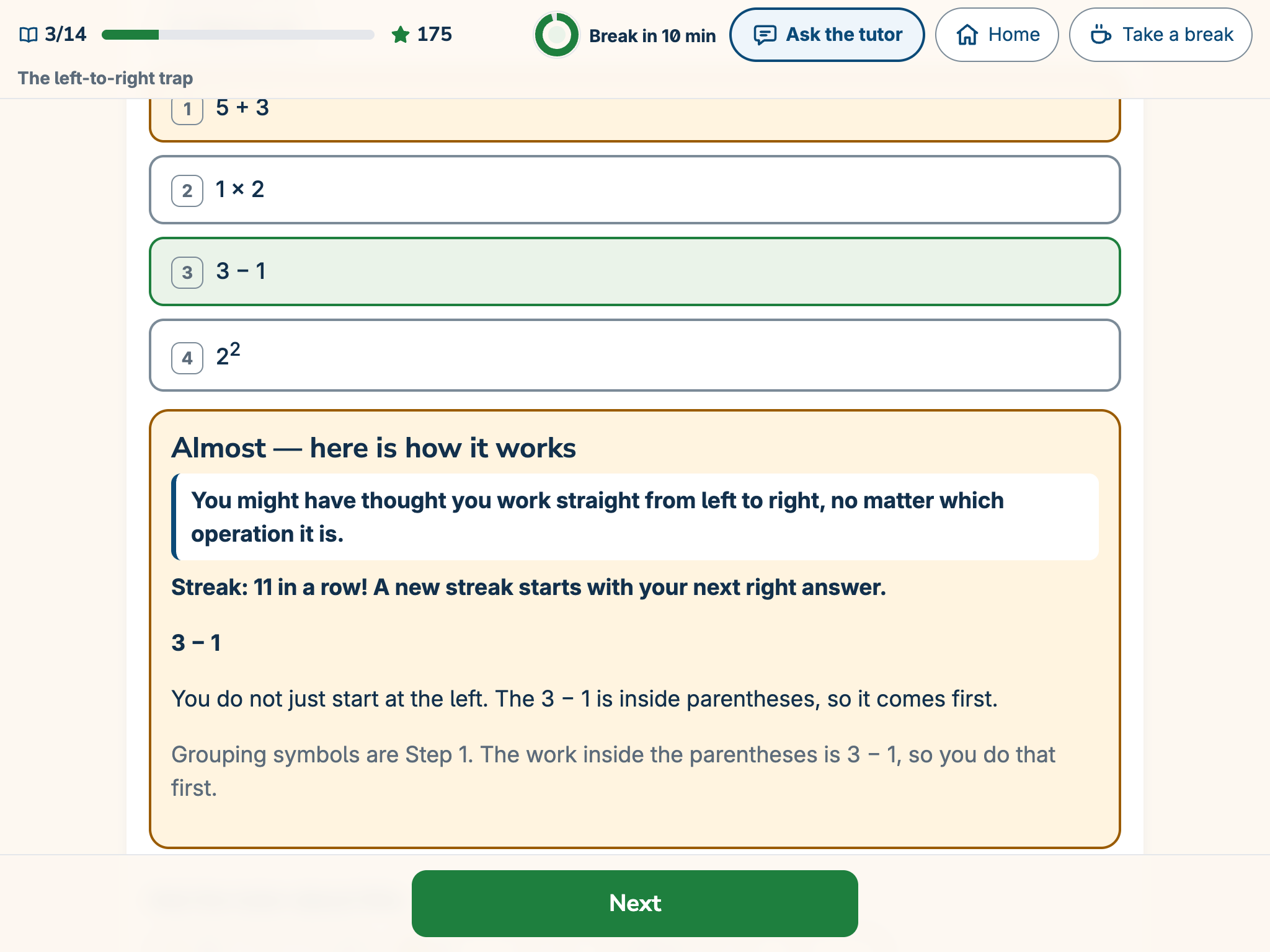
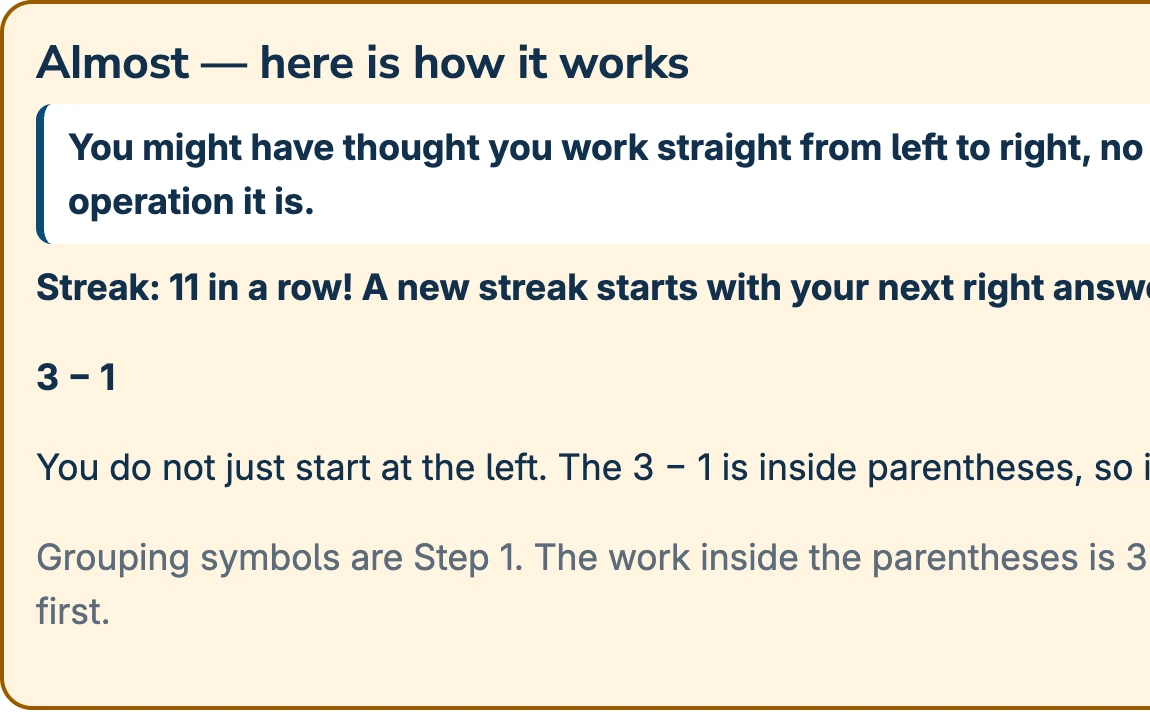
Step 5: Calm feedback. A tablet shows “Almost — here is how it works.” It names the likely mix-up and explains why the part in parentheses comes first.
Open. One tap. Learning.Example screens from our demo student, Sam
  1. Open
  2. One tap
  3. Learn
  4. Answer
  5. Calm feedback
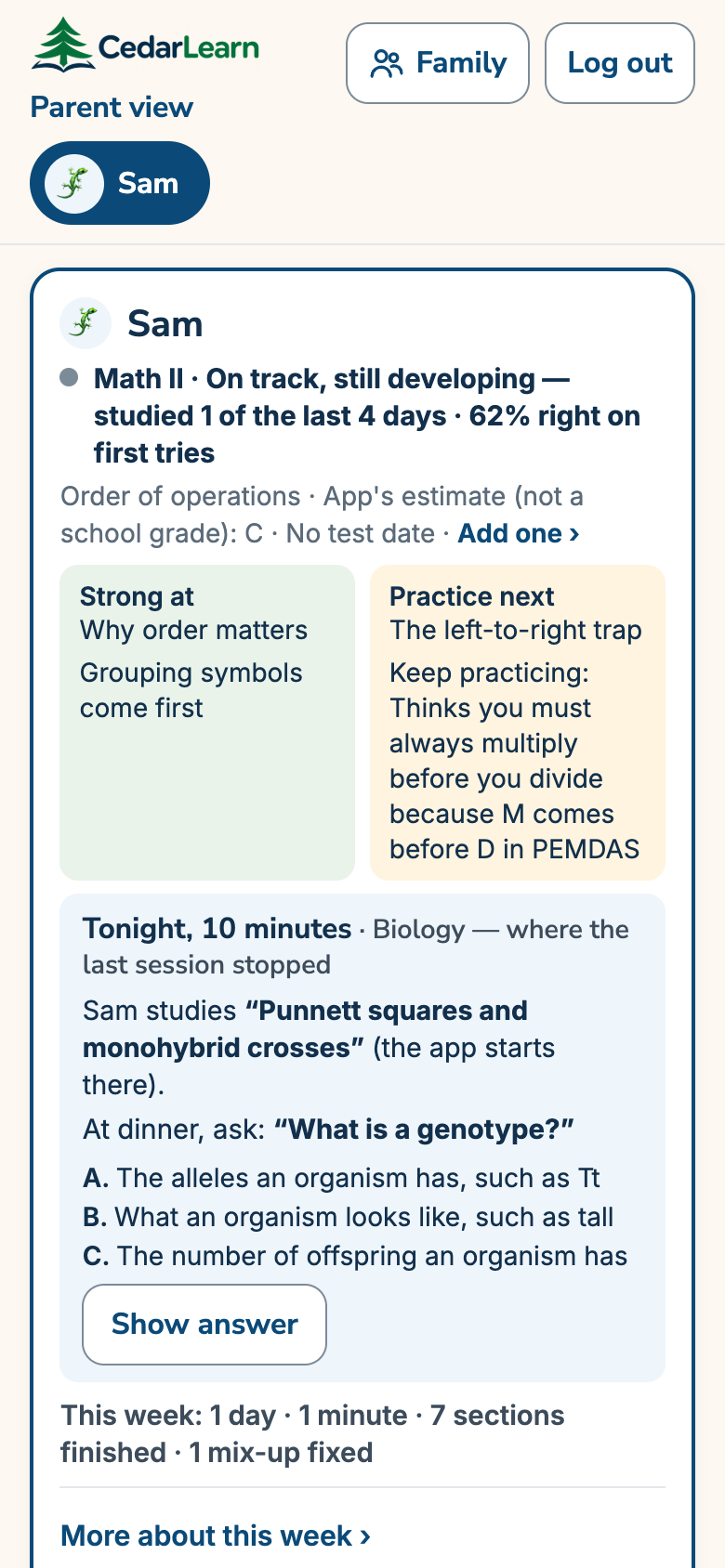
Sam's parent overview on a phone: how the class is going, Strong at, Practice next, tonight's plan and a question to ask at dinner.
Clear in 30 seconds.Example screen
  1. How they're doing
  2. Strong at, practice next
  3. Tonight's plan
  4. A dinner question

Built for focus

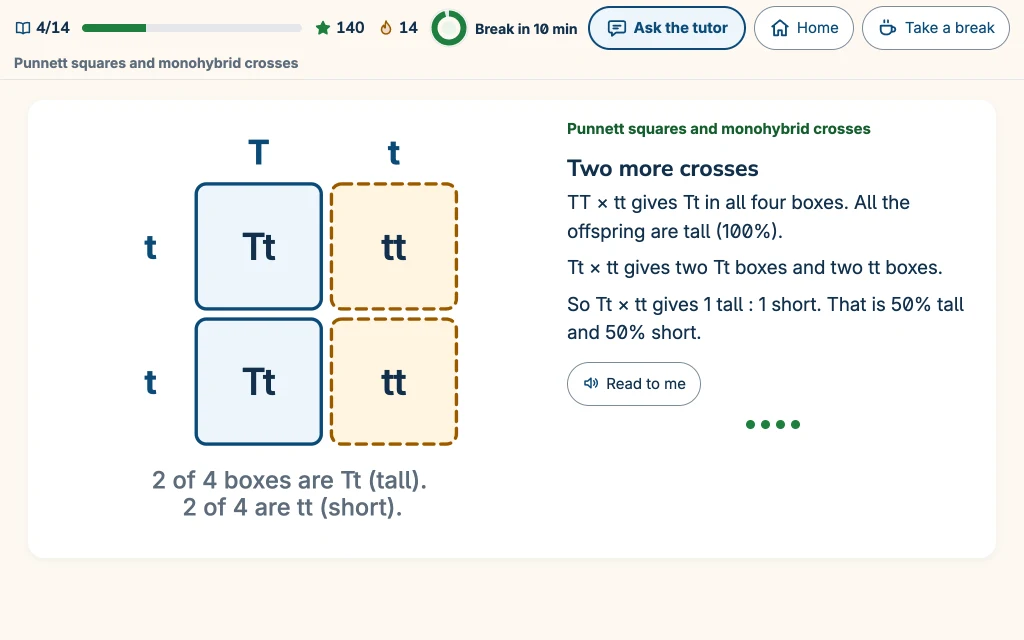
  • A whole tablet screen with just one lesson card: a Punnett square and three short lines.

    One idea per screen

  • Four large answer buttons, each with its number key.

    Big, friendly buttons

  • Gentle feedback on a warm cream card: “Almost — here is how it works.”

    Calm colors, no clutter

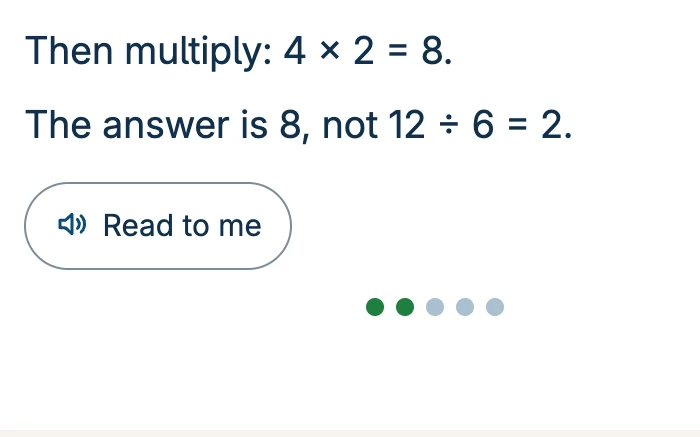
  • Two short lesson lines with the Read to me button below.

    Read-aloud

  • The green focus ring, showing “Break in 10 min.”

    Breaks on time

Details from real screens.

Built for kids who need a little more support

For short attention spans, catching up with the class and ideas that need another way in. Built by a parent of children who learn differently.
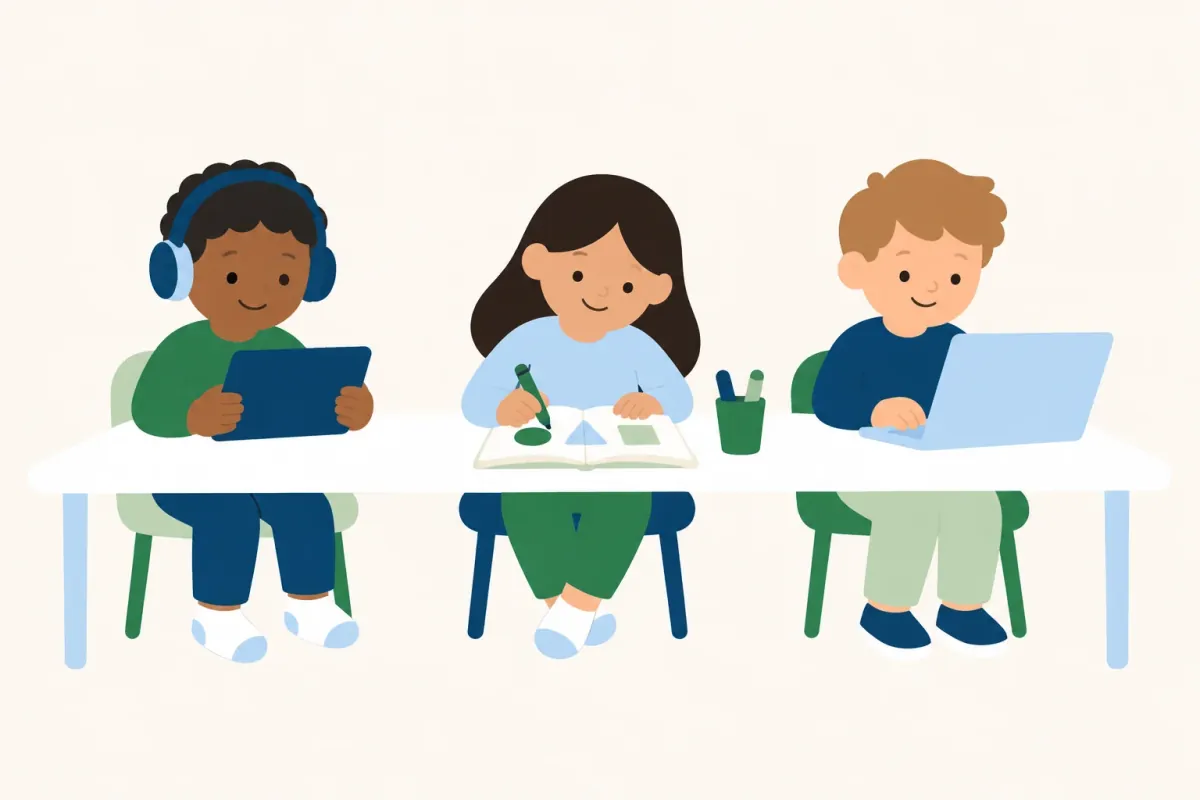
Three children learn their own way at one table: one with headphones and a tablet, one drawing shapes, one on a laptop.

One curriculum. A path and pace for each child.

Different paths. Same destination.

CedarLearn is not one fixed program. It helps every child reach the same destination.
  • A path for each child
  • A pace for each child
  • Explanations that change

Confidence grows with every small win

Pictures first, then a win your child can see.
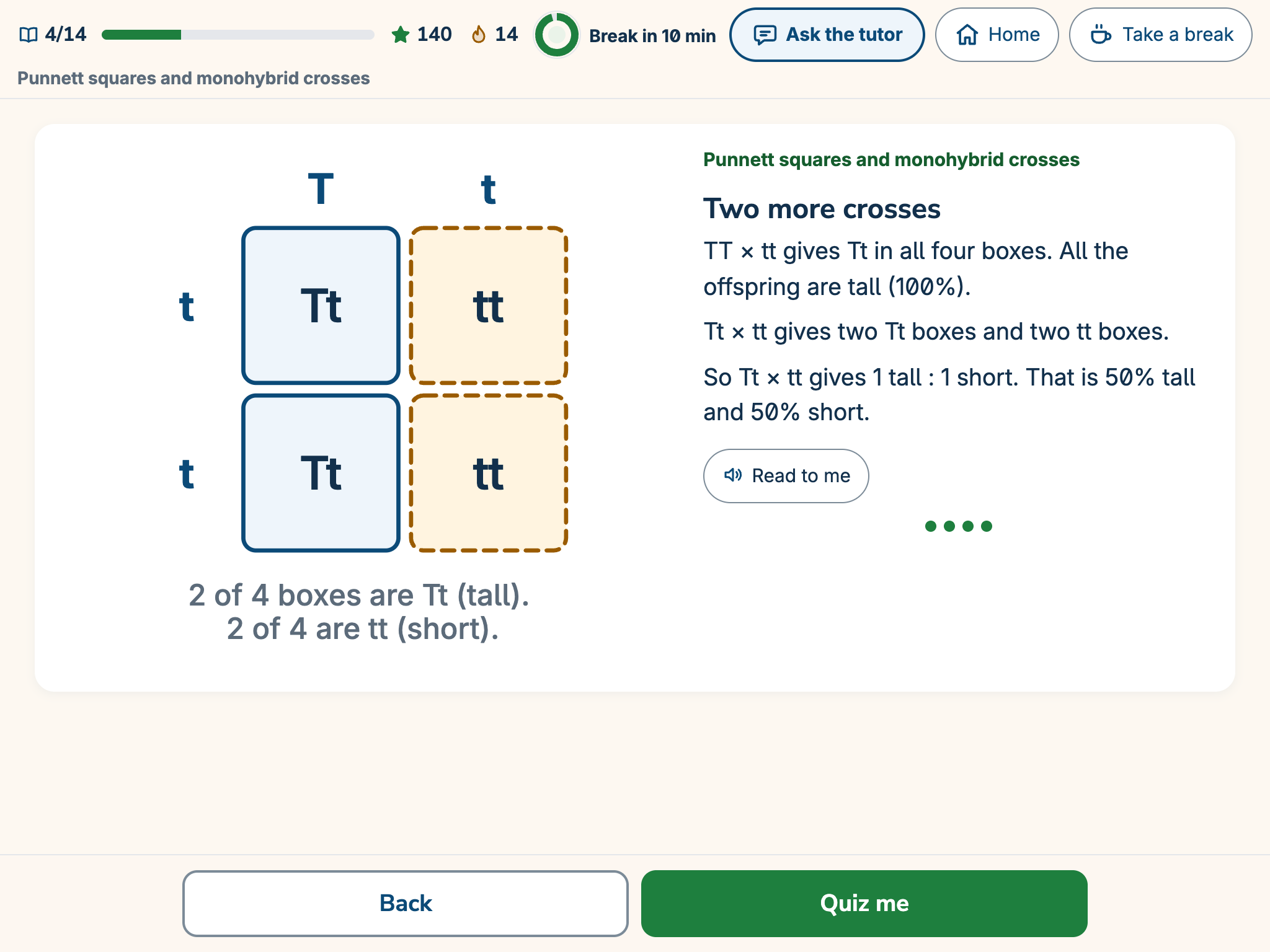
A lesson card on a tablet: a Punnett square for the cross Tt times tt, two Tt boxes and two tt boxes, beside a short explanation.
Pictures firstExample screen
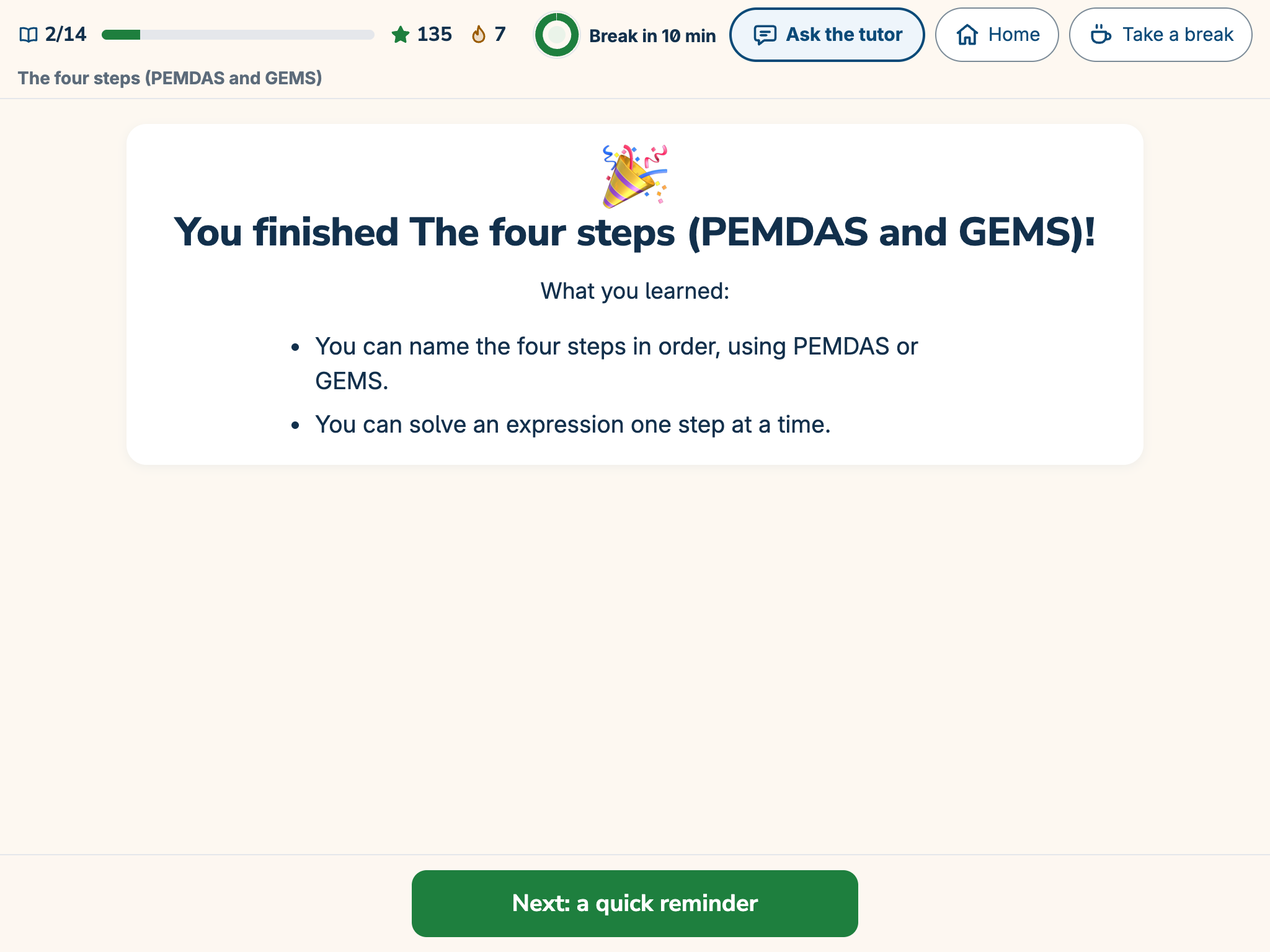
The end-of-section card on a tablet: “You finished The four steps (PEMDAS and GEMS)!” with what Sam learned.
A win you can seeExample screen

The same idea, explained another way

Not the same paragraph again. A new way in.
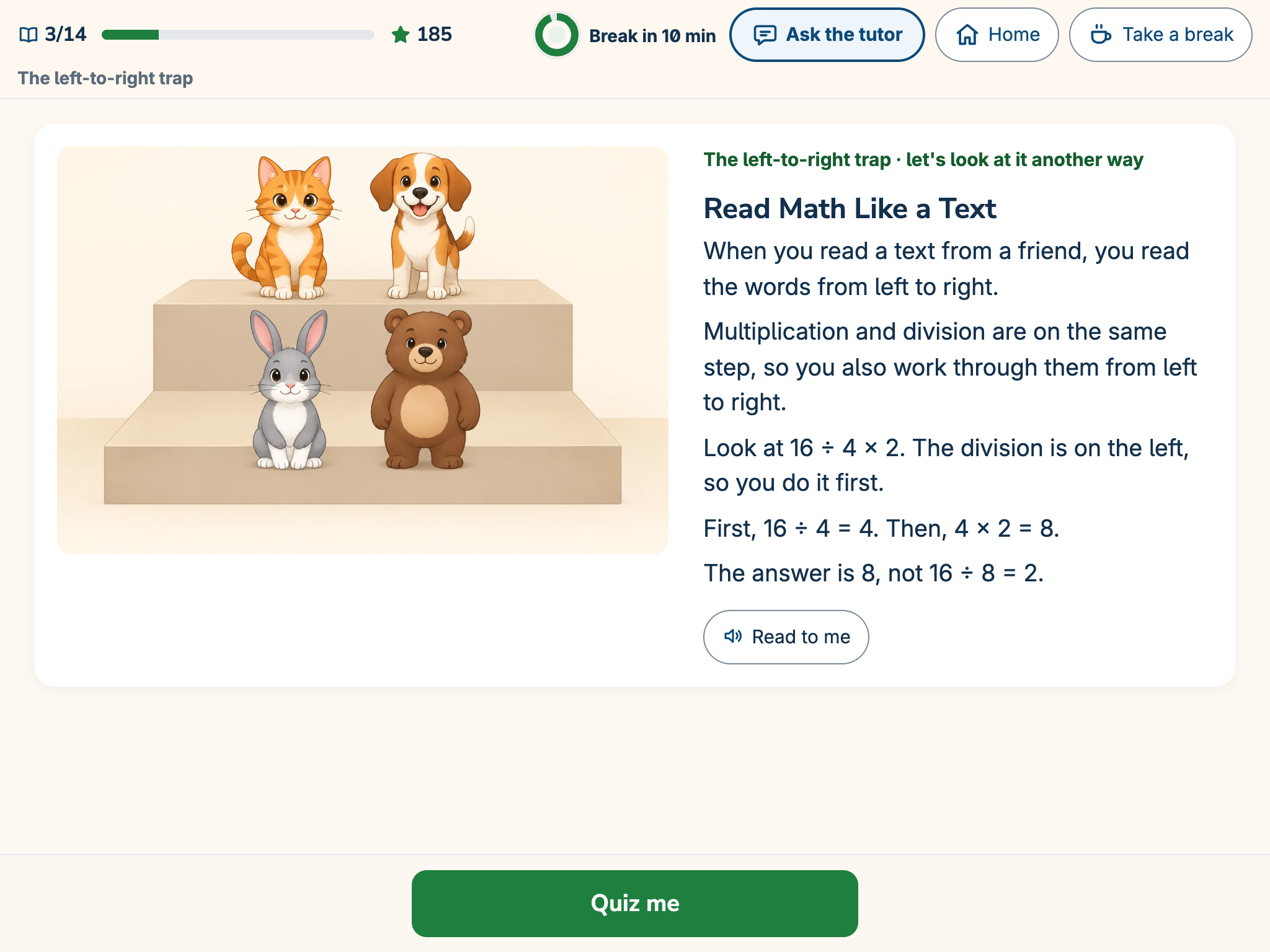
The first explanation on a tablet: a lesson card called “Division can come first” that works through 12 ÷ 3 × 2.
The first explanationExample screen
The same idea, explained another way on a tablet: a card called “Read Math Like a Text” with the example 16 ÷ 4 × 2.
After two tries: another wayExample screen. The AI tutor wrote this card and saved it for the next child who needs it.

A patient tutor, right when it's needed

Children ask in their own words and get a short, clear answer right away.
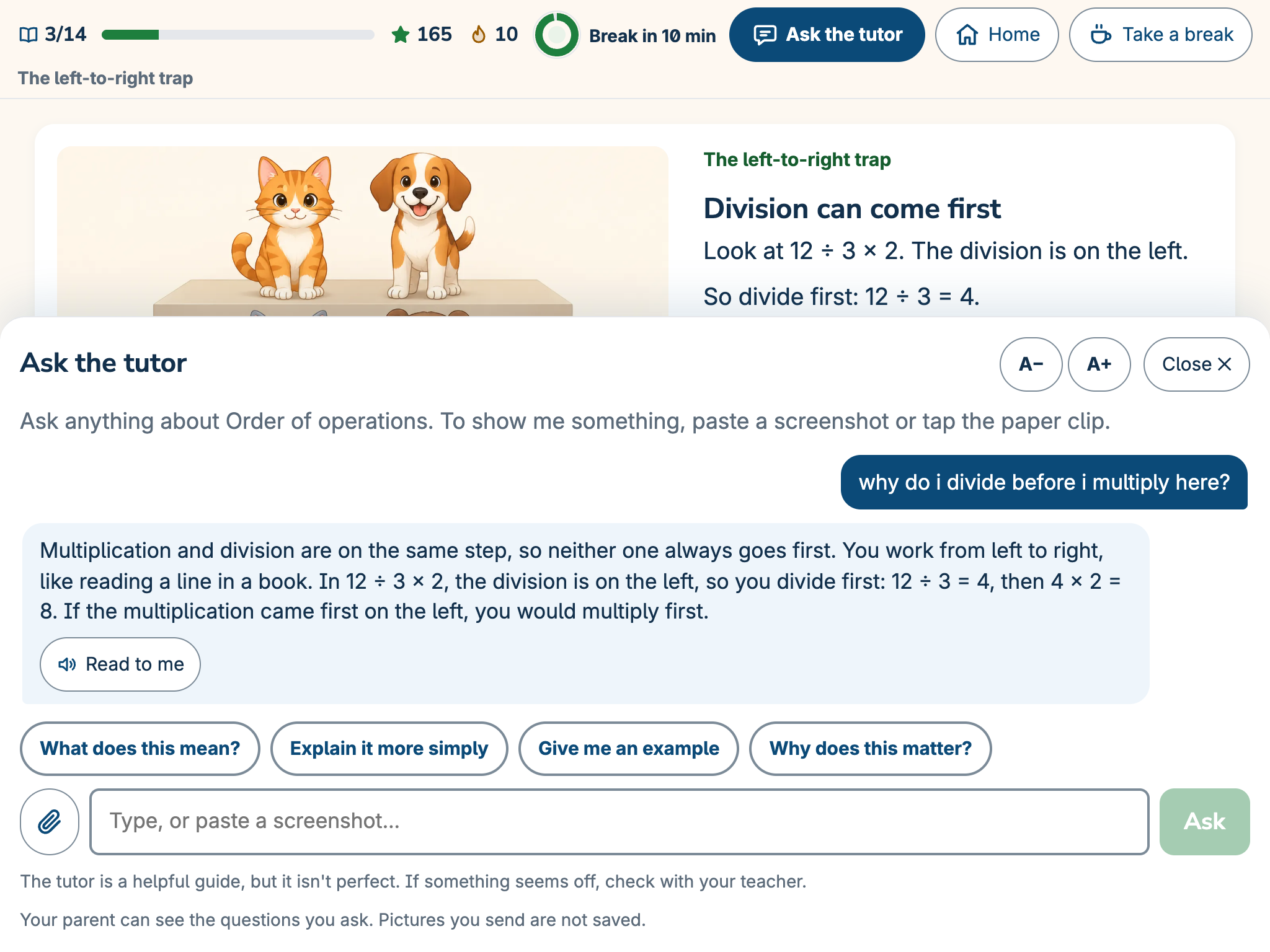
The Ask the tutor panel on a tablet: Sam asks why to divide before multiplying, and the tutor explains that you work from left to right.
Sam asks the tutor while learningExample: the tutor's answer to a student's question.

Grades matter. Confidence comes first.

  • Confidence and self-esteem
  • Families who know how to help
  • Learning that stays interesting
  • Knowing why it matters
A child at a tablet raises a hand in a happy aha moment while a parent smiles beside them.

Helping Kids Grow. Helping Parents Understand.

For parents: understand your child

  • What your child is strong at
  • What to practice next
  • One simple way to help tonight
  • How studying felt

More for parents

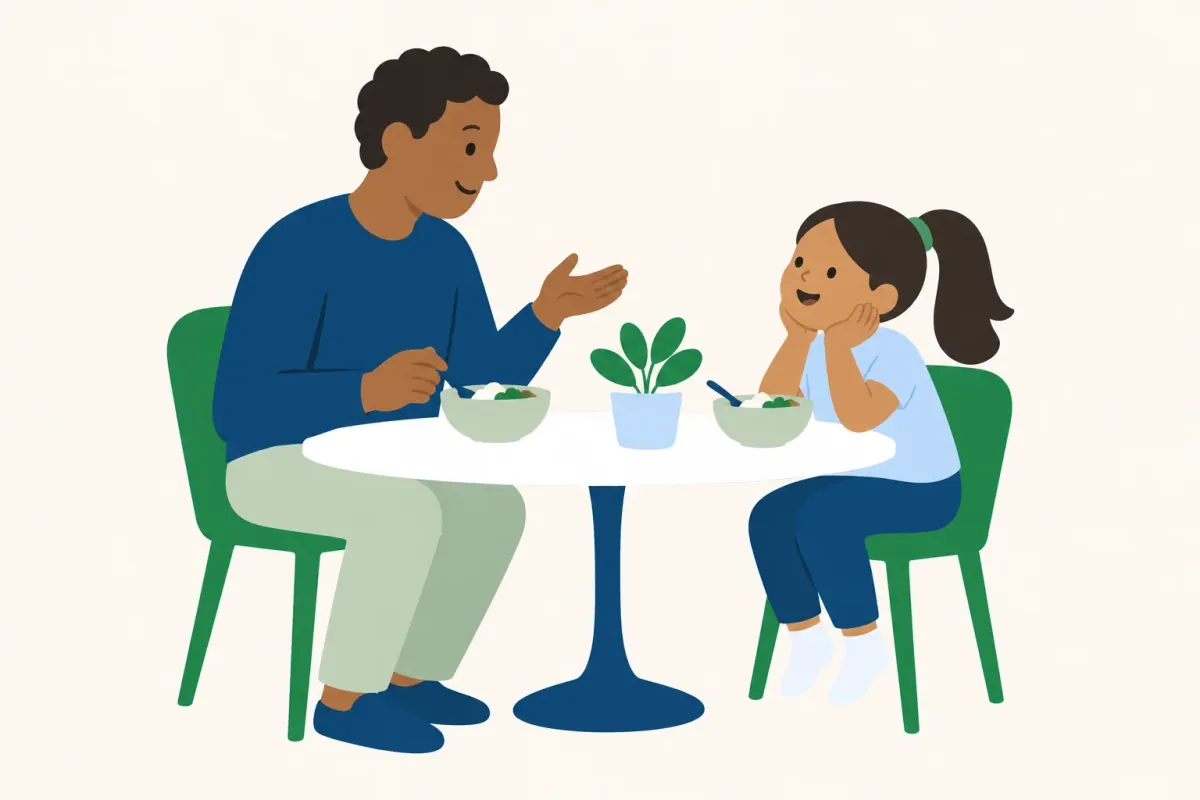
A parent and a child talk happily at a small round dinner table.
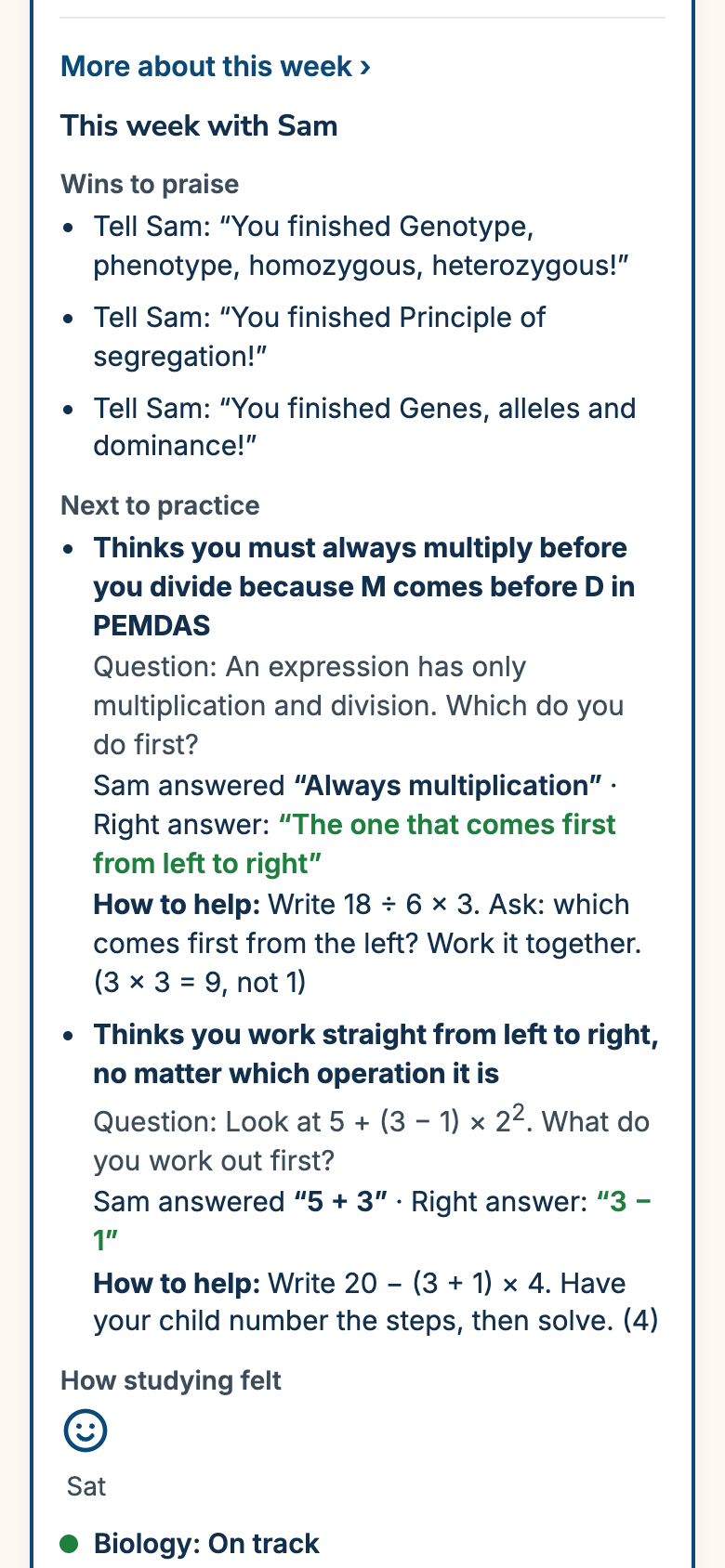
This week's story on a phone: wins to praise, the next ideas to practice with Sam's real answers and ways to help, and how studying felt.
This week's storyExample screen
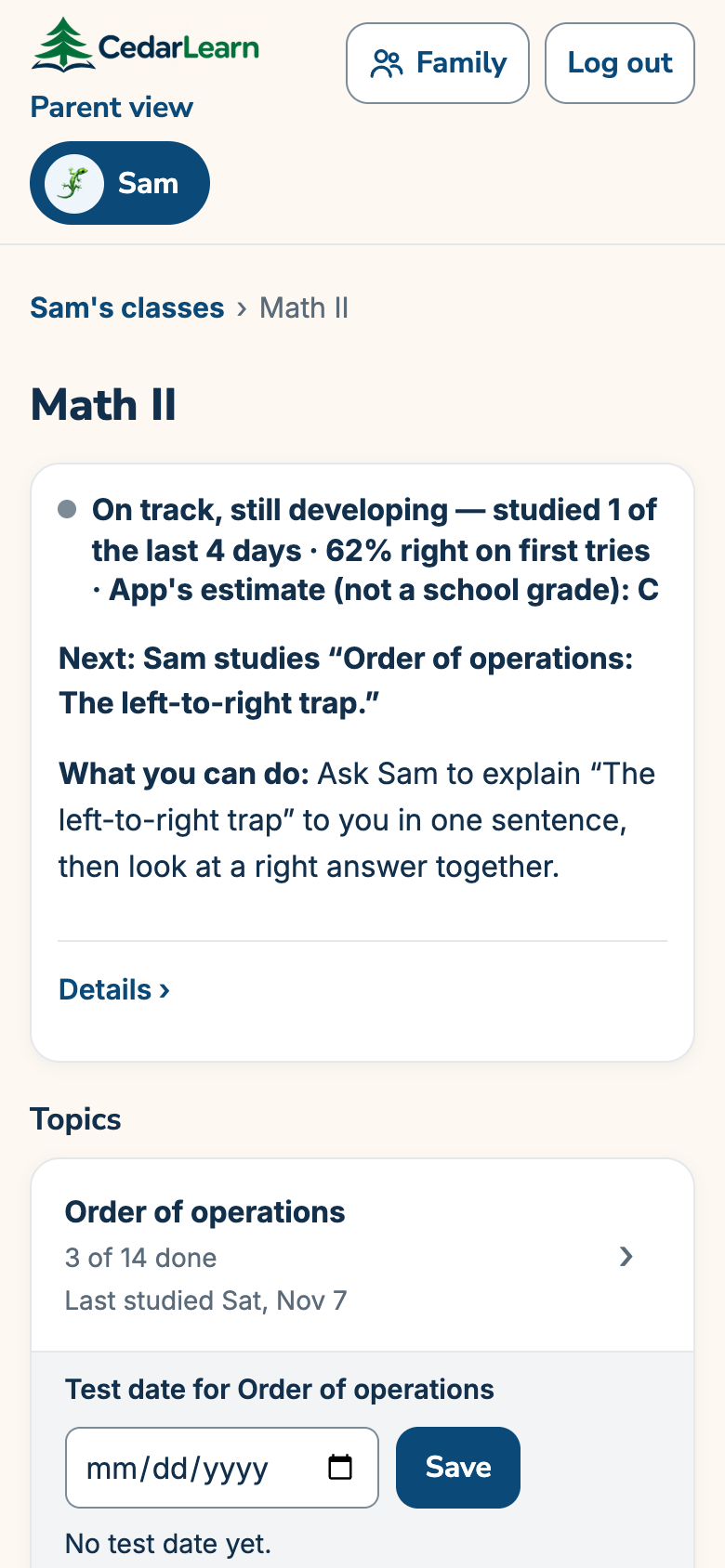
A class page on a phone for Math II: what Sam studies next and “What you can do at home.”
What you can doExample screen

Options for every learner

Nobody needs a label to use them.

  • Read-aloud
  • Short rounds
  • Calm mode
  • No timers
  • Bigger text
A child with headphones learns on a tablet at a calm desk by a window, with a plant and a mug.

“When children believe they can do it, they keep going, and the gap to their class gets smaller.”

Ricky, founder of CedarLearn and a parent

Why we built CedarLearn

Every child learns differently. Let's help them grow.

By invitation while we add courses.